Share YouTube Videos
With Your Circle.
Instantly.
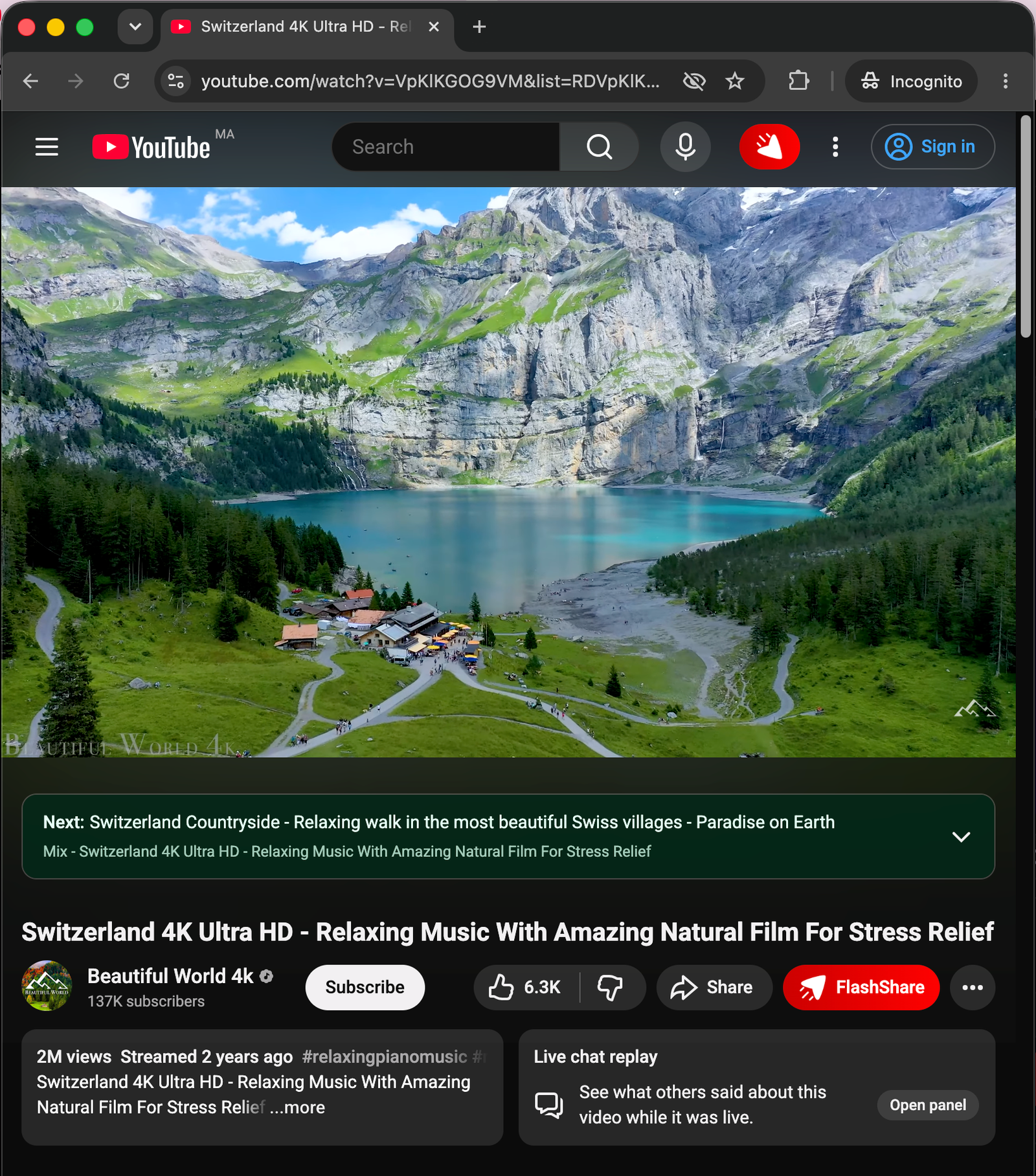
FlashShare adds a single button next to YouTube's Like bar. One click and your friends get the video, with your note, your timestamp, and zero friction.
 Add to Chrome
 Add to Brave
Try FlashShare Right Now
Experience how quick video sharing is without installing anything. Watch the demo video and try sharing it to your circle below.
Set Up in Seconds
No accounts, no dashboards, no friction. Just install, invite, and share.
Install the Extension
Hit "Add to Chrome" from the Chrome Web Store. One click, no sign-up. FlashShare appears instantly in your browser toolbar, ready to go.
Create Your Circle
Sign in with Google and add your friends by Gmail address. Your private circle is yours, nobody else can see in, and nobody can join without your invite.
Share & Chat Instantly
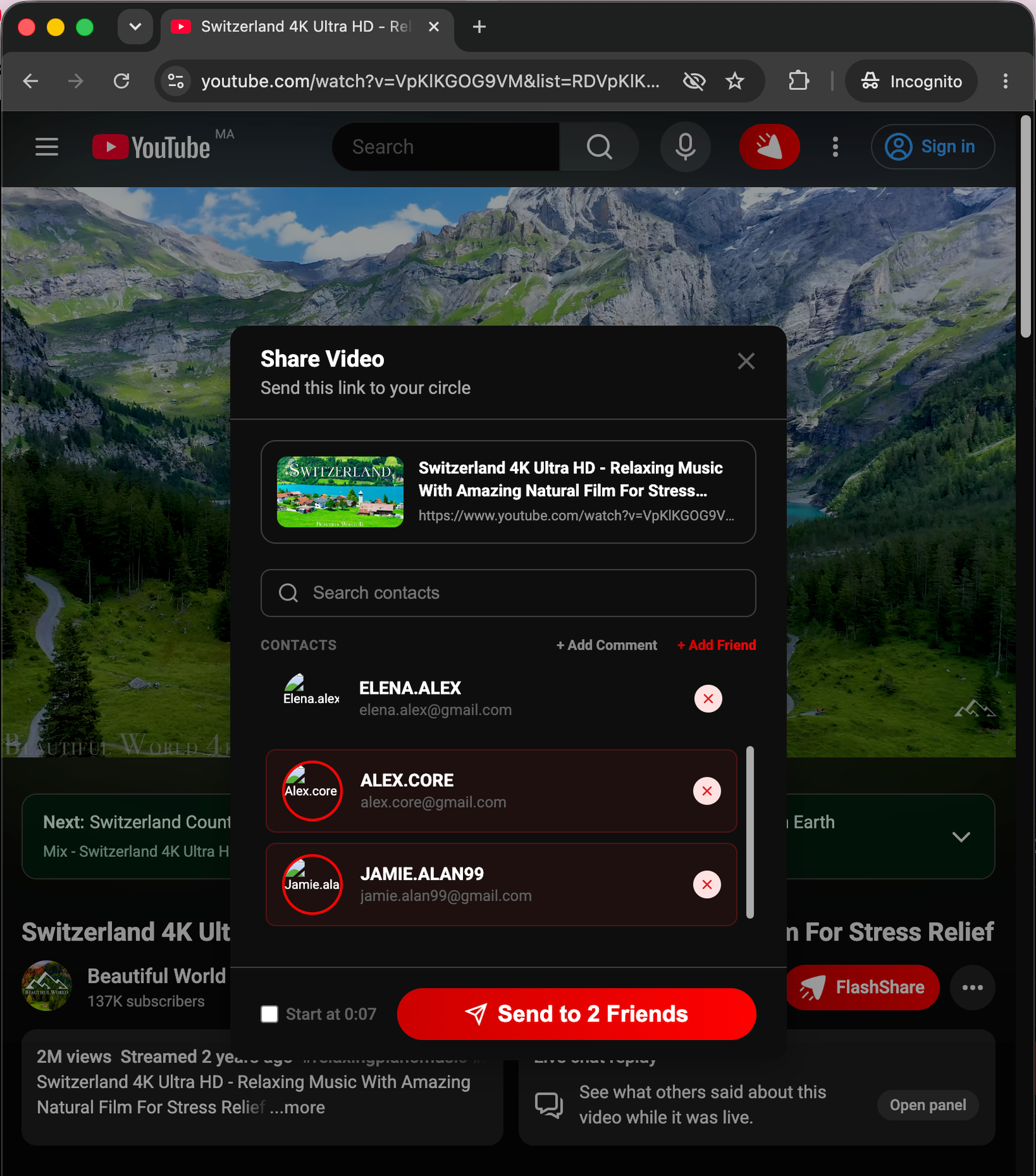
Click the FlashShare button on any YouTube video, pick your friends, add a note or a timestamp, and send all without ever leaving the player.
Everything You Need,
Nothing You Don't
Purpose-built for your inner circle no bloat, no noise, just signal.
Instant Sharing, One Click
A single FlashShare button lives right next to YouTube's Like/Dislike bar. No copy-paste, no tab switching, no friction the link goes out the moment you click.
 FlashShare
Closed-Loop Privacy
Only your invited friends can see what you share. No public feed, no algorithms, no strangers.
Synced Discussions
Leave a personal note or comment alongside any video. Your friends see your context right when they open it.
Timestamp Sharing
Check "Start at MM:SS" to share the exact moment you're watching. No more "go to 4:27" messages.
Inbox Notifications
A live notification badge inside YouTube's header tells you when a friend has shared something new with you.
React & Reply
Like shared videos and reply with comments right from your inbox. The conversation stays in context, not scattered across DMs.
Native YouTube Integration
FlashShare lives inside YouTube, no separate app, no new tab, no context switching. It looks and feels like a native YouTube feature, because it was built that way.
I've been searching for something like this for years. My friends and I used to just spam each other with YouTube links in a group chat, but then the conversation was always everywhere. FlashShare just makes sense.
Love FlashShare? Support the Project
FlashShare is 100% free. If you enjoy it, please consider supporting the project.
Got Questions?
Everything you need to know before installing.
FlashShare is completely free forever! If you enjoy using it, you can support our development costs by clicking the "Support the Project" button.
Click the FlashShare button on any YouTube video, then use the "+ Add Friend" option inside the sharing panel. Just enter their Gmail address. They'll need to install FlashShare too send them this page!
Absolutely not. FlashShare only accesses the current YouTube tab when you click the button. We store only the videos you explicitly choose to share, and only with the friends you select. We do not sell or analyze your data ever.
A closed loop means sharing happens only between people you've explicitly invited. Think of it like a private group chat that lives inside YouTube no strangers, no public feed, no algorithmic recommendations. Just your circle.
Yes. FlashShare works as a shared experience both sides need the extension for the full inbox, notifications, and discussion features. Installing takes under 30 seconds, so just send them this link!
FlashShare currently supports Google Chrome. Support for Chromium-based browsers (Edge, Brave, Arc) is planned for a future release.